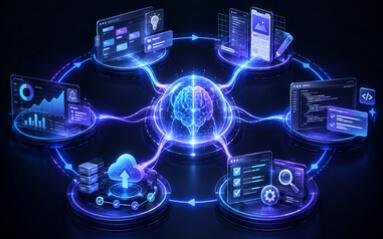
The era of treating Generative AI (GenAI) as a simple “chatbot” is over. As we near the end of 2025, successful enterprises are no longer just talking to AI; they are building complex Generative AI workflows that act, reason, and execute business processes autonomously.
According to Gartner, worldwide spending on GenAI is projected to reach $644 billion in 2025, yet nearly 30% of GenAI projects are expected to be abandoned after the Proof of Concept (PoC) phase. The difference between the winners and the failures often lies in one specific area: the architecture of their workflows.
This guide provides an in-depth look at understanding, designing, and optimizing Generative AI workflows for business automation, moving beyond simple prompts to robust, scalable agentic systems.
The Shift: From “Prompts” to “Agentic Workflows”
In 2023 and 2024, the focus was on “Prompt Engineering”—crafting the perfect text to get an answer. In 2025, the paradigm has shifted to Agentic AI.
A Generative AI workflow is not a single interaction. It is a chain of automated steps where an AI model (or a team of “agents”) perceives a trigger, retrieves necessary context, reasons through a problem, and executes a business action.
McKinsey’s State of AI 2025 report highlights that high-performing organizations are now using “agents”—systems capable of planning and executing multiple steps to achieve a goal—rather than just passive text generators.
Why Workflows Win Over Chatbots
- Consistency: Workflows follow a defined logic path, reducing variance.
- Action-Oriented: Workflows don’t just draft emails; they send them, update the CRM, and Slack the account manager.
- Auditability: Every step in a workflow can be logged, which is essential for compliance in regulated industries.
Anatomy of a Robust Generative AI Workflow
To build a workflow that drives business automation, you need to understand its five core components. Think of this as the “digital assembly line” for your data.
1. The Trigger (The Start Signal)
Every workflow needs a distinct starting point. In business automation, these are typically:
- Event-Based: A customer support ticket arrives; a new lead fills a form; a payment fails.
- Schedule-Based: A daily 9:00 AM report generation task.
- Human-Initiated: An employee manually flags a complex contract for AI review.
2. Context Ingestion (RAG & Vector Search)
A generic model (like GPT-4 or Claude) doesn’t know your business. To fix this, effective workflows use Retrieval-Augmented Generation (RAG).
- How it works: When a trigger occurs (e.g., “Client X asks for a refund”), the workflow queries a Vector Database (like Pinecone or Weaviate) to find relevant company policies, past interactions with Client X, and shipping data.
- The Result: The AI receives a prompt that includes your specific business context, not just generic knowledge.
3. Orchestration (The “Brain”)
This is the most critical layer in 2025. Orchestration frameworks (such as LangChain or LangGraph) manage the logic. They determine:
- “Do I have enough information to answer?”
- “Do I need to call an external tool?”
- “Should I ask a human for help?”
4. Action Execution (Tool Use)
This is where the “Generative” part meets “Automation.” The AI is given access to APIs—essentially “hands” to perform tasks.
- Examples: Querying an SQL database, sending a Slack notification, creating a Jira ticket, or processing a refund in Stripe.
5. Human-in-the-Loop (HITL)
For high-stakes business automation, the “Human-in-the-Loop” is a feature, not a bug. It acts as a safety valve.
- Review/Approve Pattern: The AI prepares a draft (e.g., a legal contract response) and notifies a human. The workflow pauses until the human clicks “Approve” or edits the draft.
Also read: The Complete Guide on How to Build Agentic AI in 2025

Step-by-Step: Designing an Automated Finance Workflow
Let’s visualize this with a concrete, high-value example: Automated Invoice Reconciliation.
The Workflow Diagram
- Trigger: A vendor sends a PDF invoice via email to invoices@company.com.
- Step 1 (Extraction Agent): A Vision-capable model (multimodal AI) scans the PDF and extracts key fields: Invoice ID, Date, Line Items, and Total Amount.
- Step 2 (Validation Agent): The workflow queries the internal ERP system to see if a Purchase Order (PO) exists for this vendor.
- Step 3 (Reasoning & Matching):
- Scenario A: The Invoice amount matches the PO exactly. Action: The AI automatically schedules payment in the ERP.
- Scenario B: The amount is 10% higher than the PO. Action: The AI drafts a comparison report explaining the discrepancy.
- Step 4 (HITL Decision): The report is sent to the Finance Manager via Slack.
- Human Action: The Manager clicks “Approve Exception.”
- Step 5 (Final Execution): The AI updates the status to “Approved” and emails the vendor a confirmation.
Key Challenges & Risks in 2025
While the potential is immense, the risks are maturing alongside the technology.
1. The “Shadow AI” Threat
Shadow AI refers to employees connecting unsanctioned AI tools to enterprise data. In 2025, this has evolved to “Shadow Agents”—employees creating autonomous workflows that might inadvertently leak sensitive PII (Personally Identifiable Information) or hallucinate financial promises to customers.
- Fix: Implement centralized AI Governance platforms that provide visibility into all AI agent activity.
2. Agentic Scope Creep
An autonomous agent designed to “optimize cloud spend” might inadvertently shut down critical servers if its parameters aren’t strictly “scoped.”
- Fix: Use the “Least Privilege” principle for AI. An AI agent should only have Read/Write access to the specific datasets it needs, not the entire database.
3. Regulatory Compliance (EU AI Act)
As the EU AI Act and other global regulations come into full force, businesses must ensure their workflows are explainable. If a loan is denied by an AI workflow, you must be able to trace exactly why that decision was made. “Black box” automation is a liability.
Best Practices for Success
To ensure your Generative AI workflows deliver ROI and don’t end up in the “failed PoC” graveyard:
- Start with “Low Risk, High Drudgery”: Don’t start by automating your core pricing strategy. Start with internal IT ticketing, document summarization, or initial candidate screening.
- Implement “Eval” Suites: Just as you test software code, you must test AI workflows. Create a dataset of 50 “golden examples” and run your workflow against them daily to ensure the AI hasn’t “drifted” or become less accurate.
- Design for Latency: sophisticated agentic workflows can take 30-60 seconds to “think” and execute. Design your user interface (UI) to handle this asynchronously (e.g., “We are processing your request, we will notify you shortly”) rather than making the user wait.

FAQ
What is a Generative AI workflow?
A Generative AI workflow is a structured sequence where AI models retrieve context, reason through tasks, interact with tools, and execute actions. It sits at the core of modern Generative AI tools, enabling them to participate in complex, multi-step automation rather than single-response interactions.
Why is a Generative AI workflow better than a traditional chatbot?
A chatbot gives you answers. A Generative AI workflow completes work. It can update systems, generate reports, trigger alerts, reconcile invoices, and ask for human approval when needed. These are real Generative AI workflow examples that show how companies are using automation to replace manual processes and reduce turnaround times.
How do businesses decide which processes to automate first?
Start with repetitive, rules-heavy tasks that drain time but don’t require deep judgment. IT ticket triage, contract summarization, finance validations, and compliance checks are strong candidates for early Generative AI workflow adoption.
Do Generative AI workflows require human oversight?
Yes—especially in finance, legal, healthcare, HR, and other sensitive areas. Human-in-the-loop checkpoints keep the workflow accurate, safe, and compliant. Oversight doesn’t slow you down; it prevents expensive errors.
What tools do companies need to build a Generative AI workflow?
Most teams use a mix of RAG pipelines, vector databases, orchestration frameworks (like LangGraph), evaluation suites, and API integrations. Together, they create the structure that lets a Generative AI workflow operate consistently and autonomously.
Conclusion
Understanding a Generative AI workflow for business automation is about moving from novelty to utility. When companies treat AI as a system of agents, triggers, context pipelines, and controlled execution layers, they create a Generative AI workflow that actually performs work—not just produces text. This approach also sets the foundation for Generative AI workflow automation, where end-to-end processes run reliably without human micromanagement.
As more enterprises adopt automated processes, the ability to architect a reliable Generative AI workflow becomes a competitive advantage. It turns scattered experiments into a scalable operating model. A well-designed workflow also becomes the backbone of Generative AI workflow optimization, helping teams track performance, tighten reasoning steps, and reduce operational friction.
The winners of 2025 will be those who stop asking what they can ask the AI and start building Generative AI workflows that let AI take on measurable, auditable business actions. When your business can delegate full processes instead of isolated tasks, you unlock productivity gains that compound over time through automation using Generative AI.
How Can [x]cube LABS Help?
At [x]cube LABS, we craft intelligent AI agents that seamlessly integrate with your systems, enhancing efficiency and innovation:
- Intelligent Virtual Assistants: Deploy AI-driven chatbots and voice assistants for 24/7 personalized customer support, streamlining service and reducing call center volume.
- RPA Agents for Process Automation: Automate repetitive tasks like invoicing and compliance checks, minimizing errors and boosting operational efficiency.
- Predictive Analytics & Decision-Making Agents: Utilize machine learning to forecast demand, optimize inventory, and provide real-time strategic insights.
- Supply Chain & Logistics Multi-Agent Systems: Enhance supply chain efficiency by leveraging autonomous agents that manage inventory and dynamically adapt logistics operations.
- Autonomous Cybersecurity Agents: Enhance security by autonomously detecting anomalies, responding to threats, and enforcing policies in real-time.
- Generative AI & Content Creation Agents: Accelerate content production with AI-generated descriptions, visuals, and code, ensuring brand consistency and scalability.
Integrate our Agentic AI solutions to automate tasks, derive actionable insights, and deliver superior customer experiences effortlessly within your existing workflows.
For more information and to schedule a FREE demo, check out all our ready-to-deploy agents here.
1-800-805-5783